3 wavetable oscillators
Up to 16 unison voices each, with detune, stereo width and two warp slots per oscillator. Plus a sub and four kinds of noise.
- Sync · Bend · PWM · Mirror · Fold
- FM · AM · RM between oscillators
The wavetable synth built for the dance floor.
1,216 presets across 79 genres, drag-to-modulate everything, and an effects rack with two experimental effects you won't find anywhere else.
VST3 · AU · AAX · STANDALONE — APPLE SILICON + INTEL
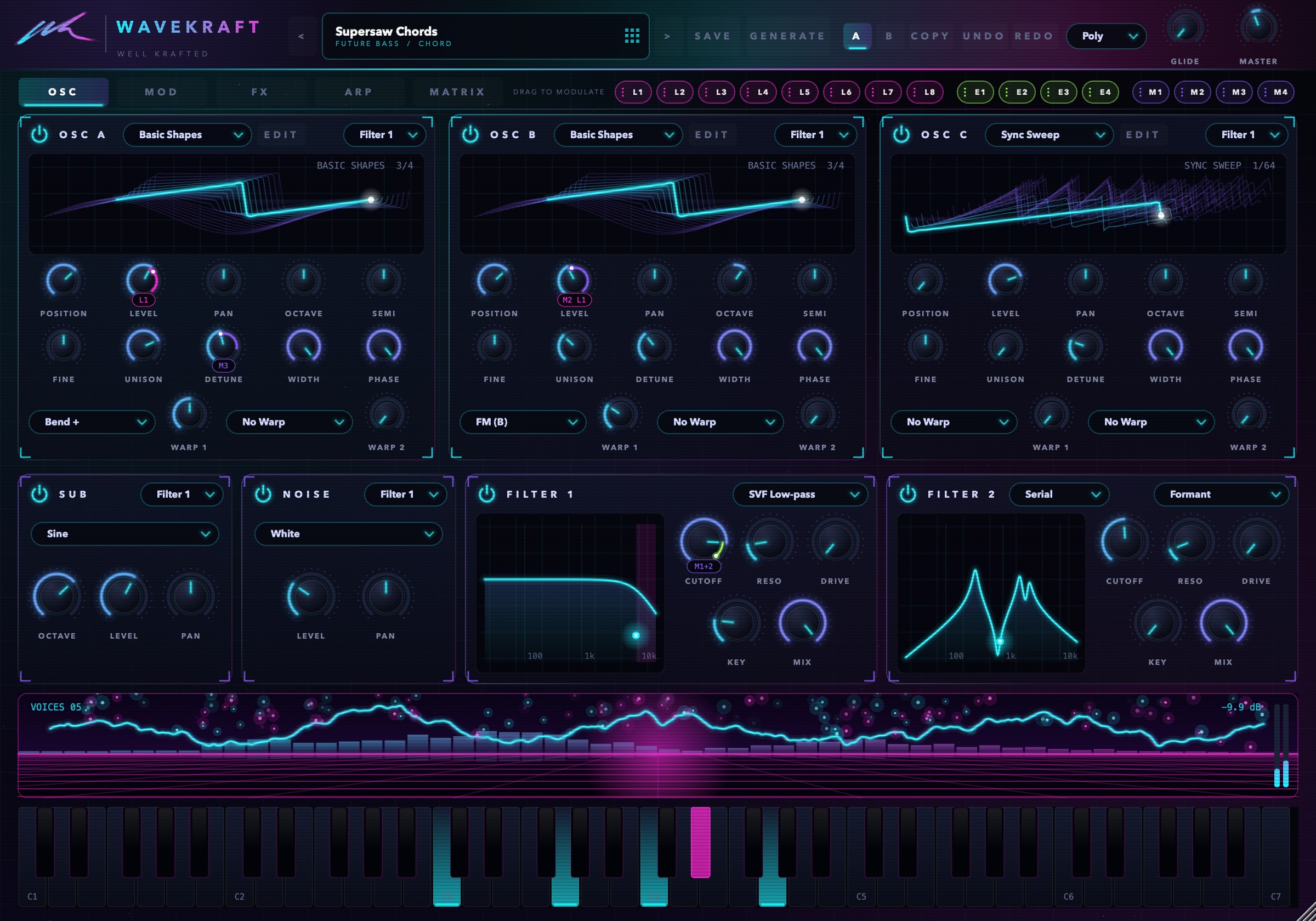
Every LFO, envelope and macro lives in a strip that's always on screen. Pull out a glowing cable, drop it on a knob, and it moves. No menus, no matrix diving.
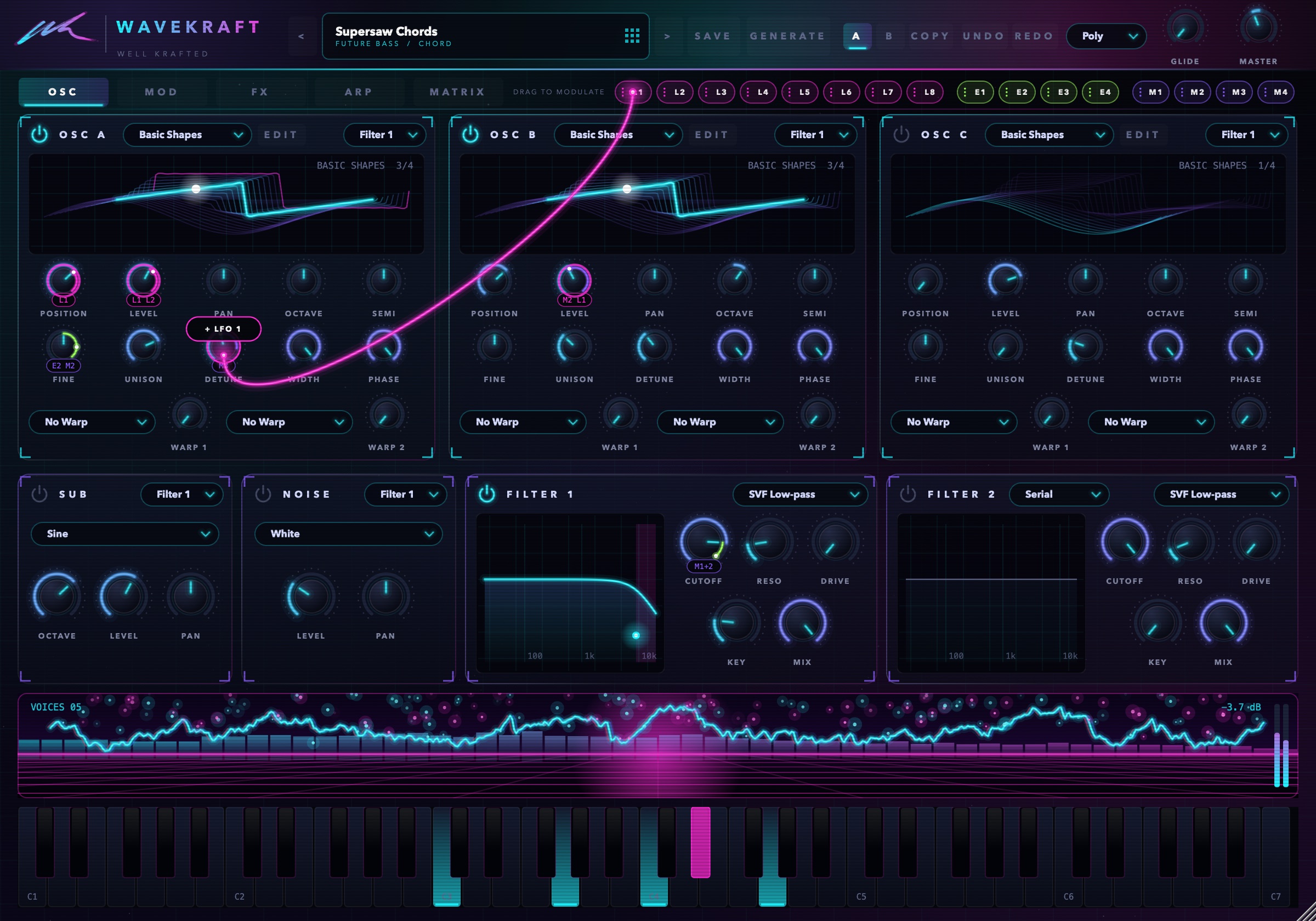
Three wavetable oscillators, two filters, deep modulation and an arpeggiator, all on five clear pages.
Up to 16 unison voices each, with detune, stereo width and two warp slots per oscillator. Plus a sub and four kinds of noise.
Eight filter types each, including a fat analogue-style ladder, comb and a talking formant filter. Run them in series or parallel, and route each oscillator where you want.
Eight LFOs that lock to your song tempo, from 8 bars to 1/64 with dotted and triplet values. Draw your own curves, or start from Pump, Steps and more.
Drop a WAV, AIFF or FLAC on an oscillator and it becomes a wavetable. Then draw, morph, smooth and export it in the built-in editor.
Six arp modes with swing, gate and latch, locked to your song. Chord memory turns one finger into 14 chord types, from minor 7ths to stacked fifths.
A/B compare, undo/redo, 4 macros and a 32-slot matrix when you want precision. Your project saves everything, even imported wavetables.
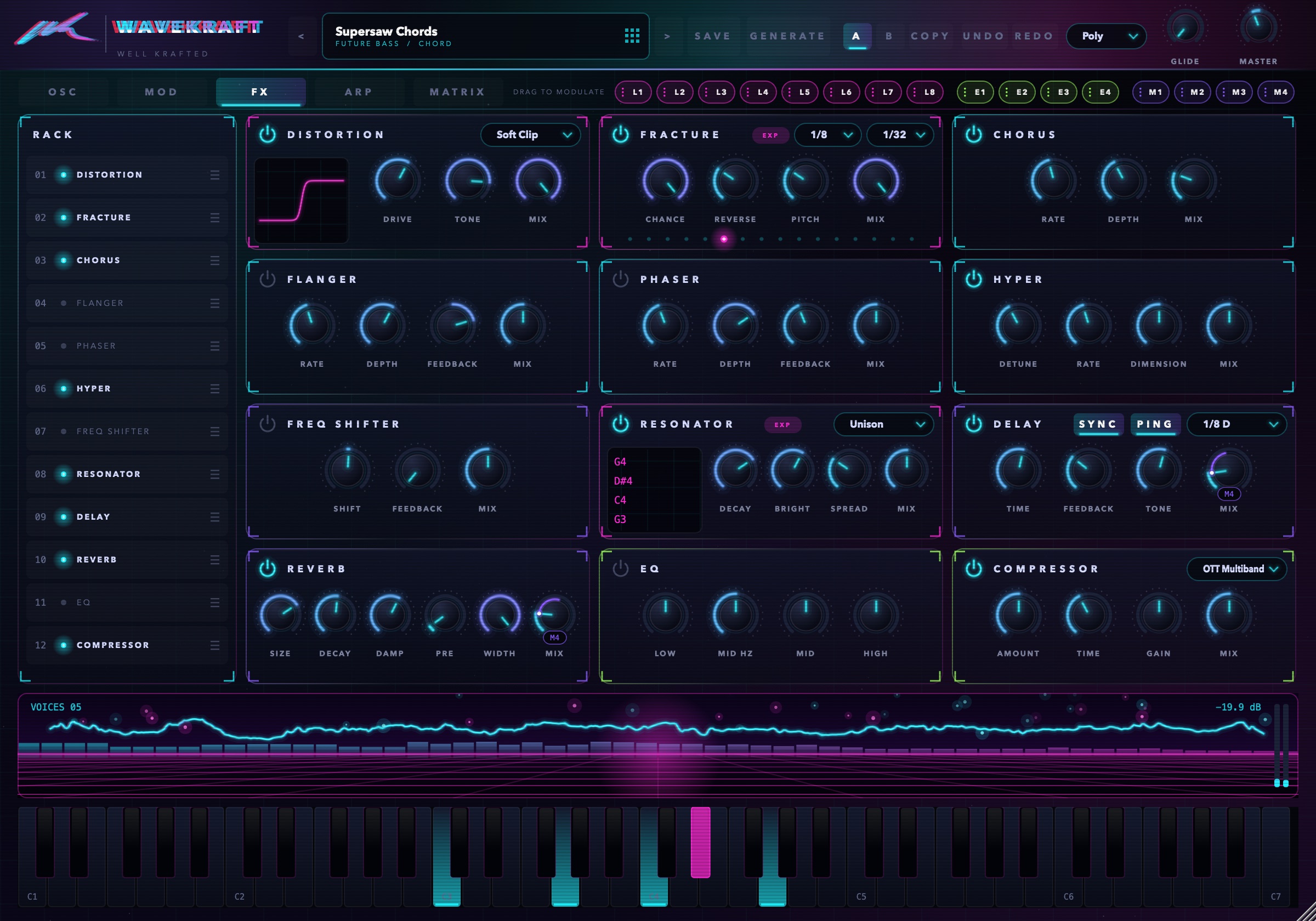
Drag the rack into any order, and switched-off effects cost no CPU. Every effect knob takes LFOs and macros, so the FX move with the music.
A tempo-locked glitch engine. It grabs slices of your sound and stutters, reverses and re-pitches them on the beat.
Tunes a bank of resonators to the chord you're holding, so noise, drums or anything else rings in key.
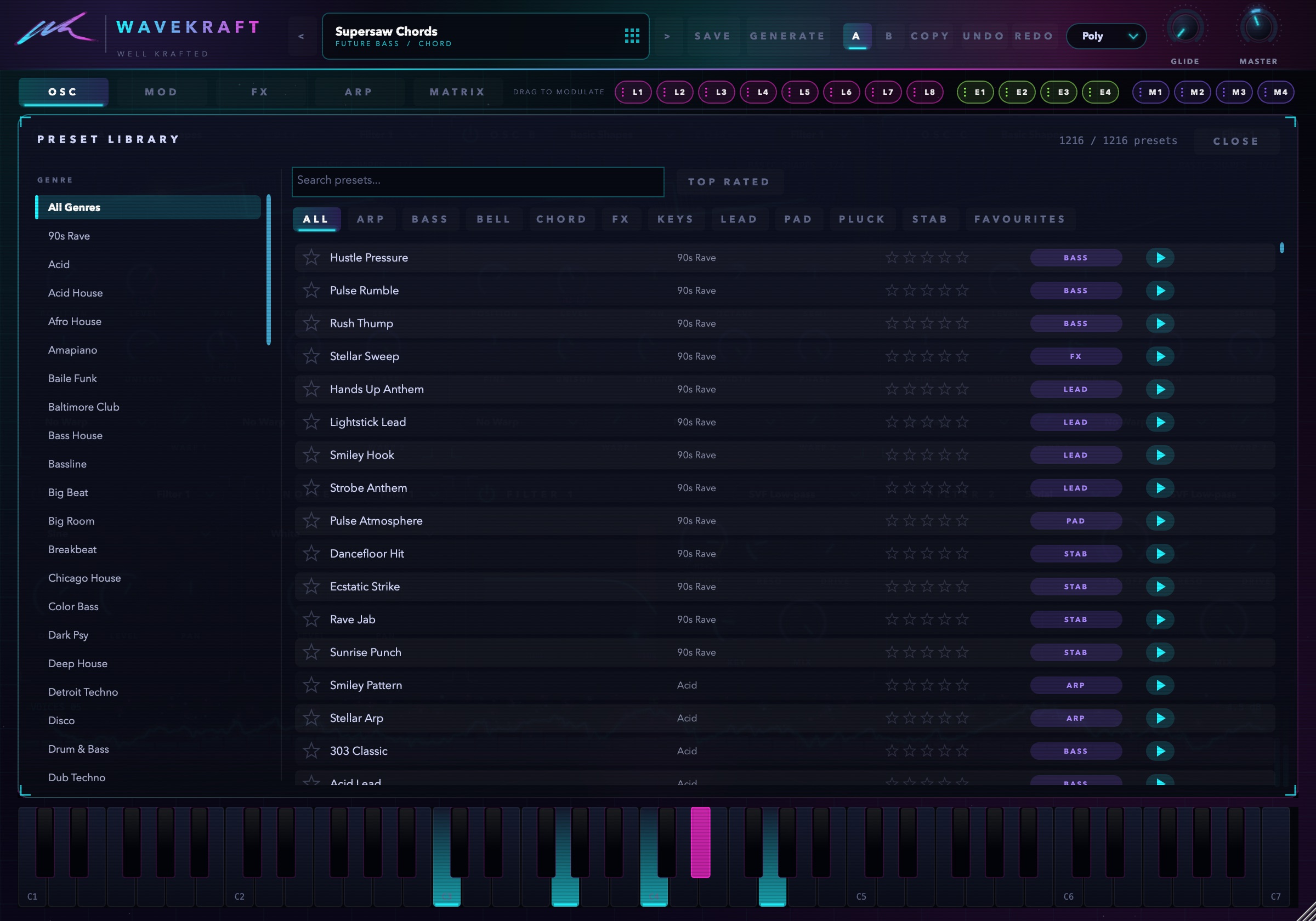
Basses, leads, pads, plucks, stabs and FX for 79 genres. Each preset is checked for level, so nothing jumps out of your mix. Preview any sound in one click, star your favourites, and rate them.
Pick a genre and a role, and Wavekraft builds a brand-new preset in that style, levelled and ready to play. Hit Again until something sparks, then save it.
One installer, and you choose exactly which formats to install. Ableton, Logic, FL Studio, Bitwig, Cubase, Studio One, Reaper and Pro Tools.
macOS 11 Big Sur or later · Apple Silicon and Intel (Universal)
Windows 10 or 11 · 64-bit

Download Wavekraft and start with 1,216 presets, or build your own from scratch. The manual walks through every knob.
The installers aren't code-signed yet. Mac: right-click the installer and choose Open the first time. Windows: if SmartScreen appears, click More info, then Run anyway.